Spend ₹50,000 on a laptop and you get one that works. Spend closer to ₹1 lakh and you get one you stop thinking about. It opens your Excel model before you finish your chai, lasts through back-to-back classes without the charger, and still feels quick in your final term when you are juggling placement prep, a live project and a dozen browser tabs.
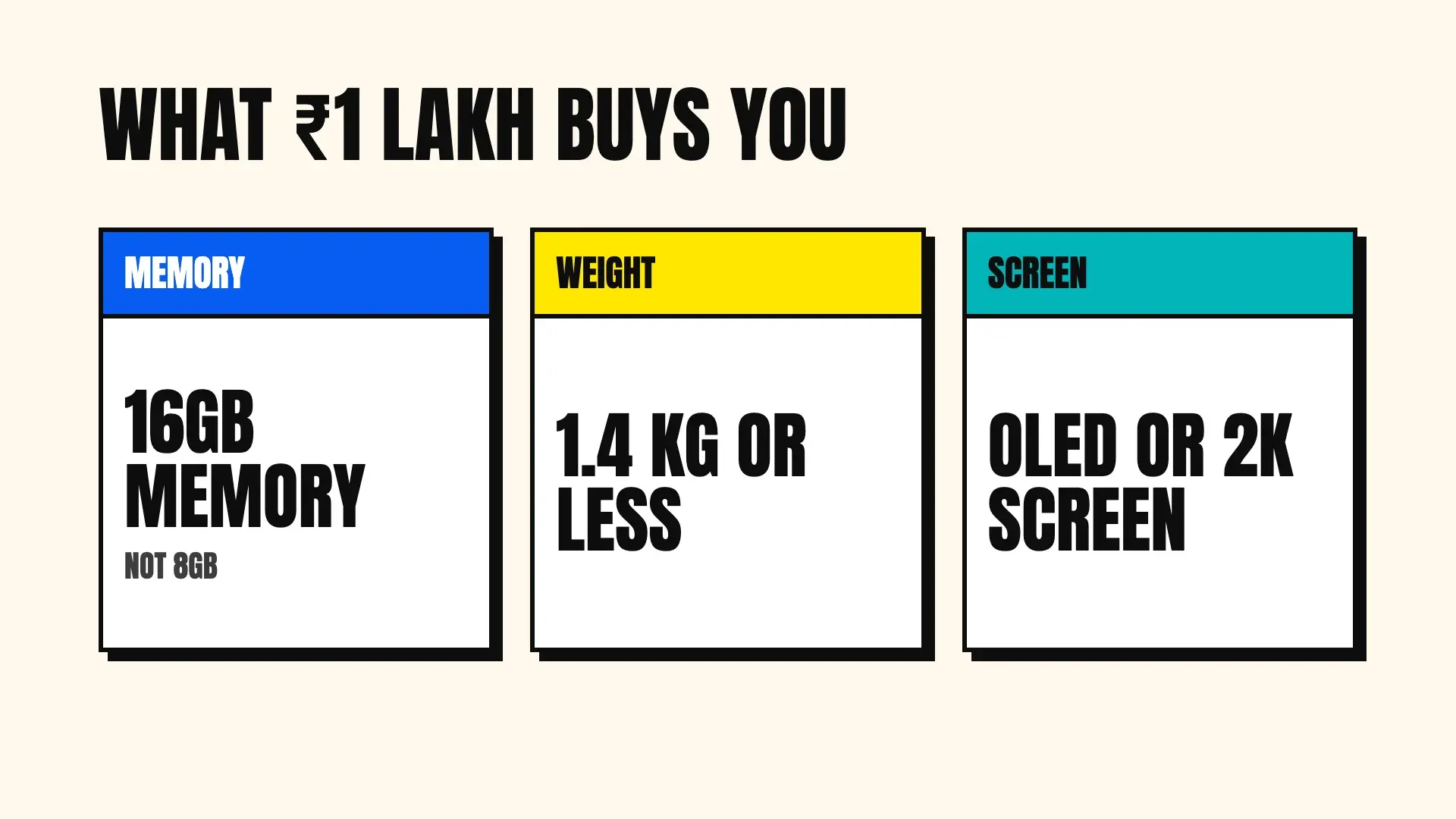
The extra money buys three upgrades: 16GB of memory instead of 8GB, a lighter body, and a better screen. Each one solves a problem MBA students run into by the second year.
We checked every laptop on this list on Amazon.in on 9 October 2026, during the Great Indian Festival sale, and kept only models listed under ₹1 lakh that day. For each one you get the specs that matter, what you will like, what will annoy you, and who should buy it. Prices change every few days, so open the link and check before you pay.
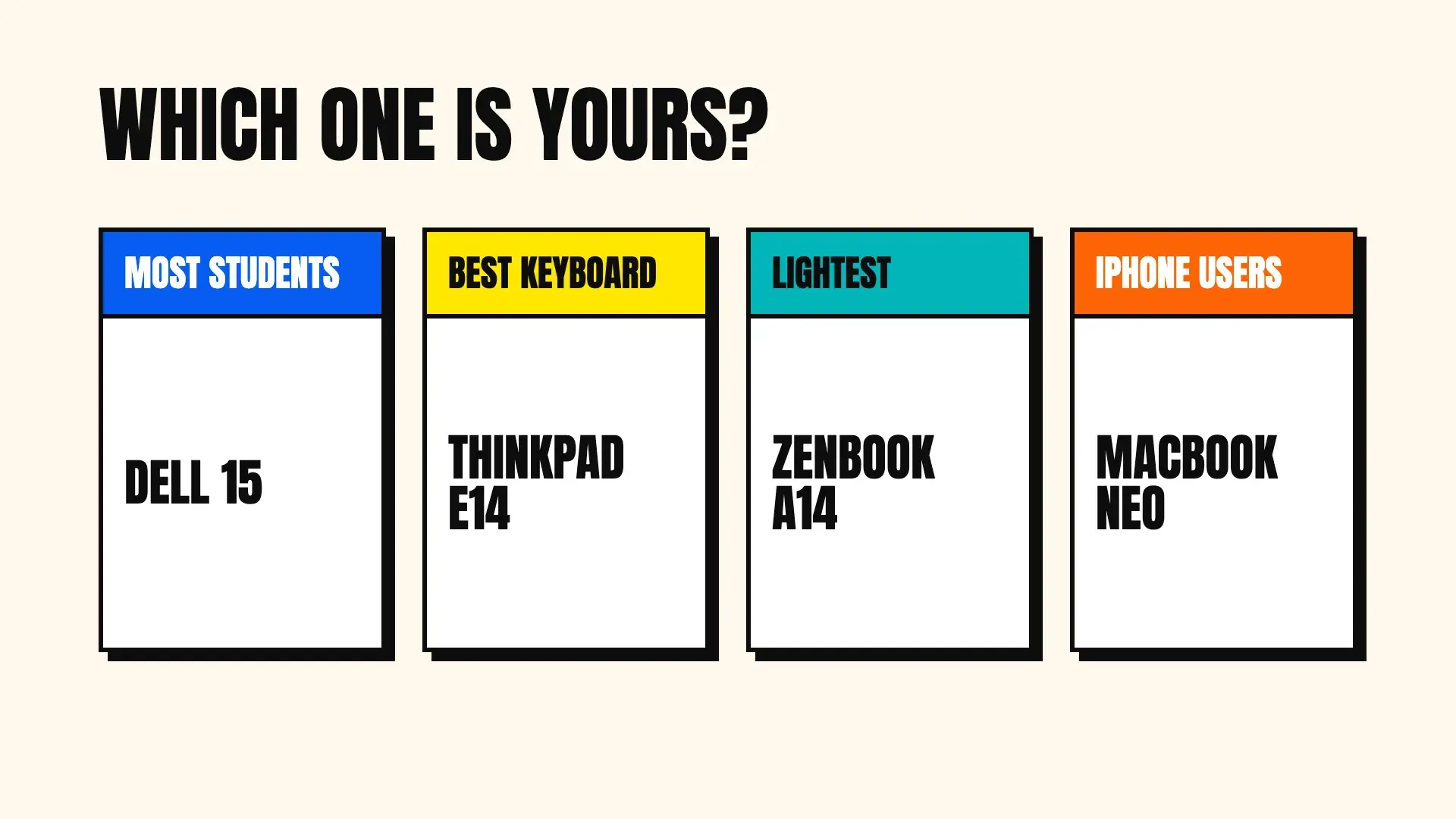
Quick answer: For most MBA students, the Dell 15 with Intel Core i5-1334U, 16GB memory, 1TB storage and Office 2024 is the best laptop under ₹1 lakh. Pick the Lenovo ThinkPad E14 for the best keyboard, the ASUS Zenbook A14 if you want a laptop under 1 kg, or the MacBook Neo if you already use an iPhone.
The 10 best laptops for MBA students under ₹1 lakh at a glance
| # | Laptop | Best for | Processor | Memory / storage | Screen | Weight | Office included |
|---|---|---|---|---|---|---|---|
| 1 | Dell 15 SmartChoice (Core i5) | Most MBA students | Intel Core i5-1334U | 16GB / 1TB | 15.6" FHD IPS, 120Hz | 1.62 kg | Yes, Office 2024 |
| 2 | Lenovo IdeaPad Slim 3 (i5 H) | Most speed for the money | Intel Core i5-12450H | 16GB / 512GB | 15.6" FHD TN, anti-glare | 1.62 kg | Yes, Office Home 2024 |
| 3 | Lenovo ThinkPad E14 | Best keyboard and build | AMD Ryzen 5 7535HS | 16GB / 512GB | 14" WUXGA IPS, 300 nits | 1.42 kg | Yes, Office Home 2024 |
| 4 | ASUS Vivobook S14 OLED | OLED with no software worries | AMD Ryzen AI 5 330 | 16GB / 512GB | 14" FHD+ OLED | 1.4 kg | Yes, Office Home 2024 |
| 5 | ASUS Zenbook A14 OLED | Lightest | Snapdragon X | 16GB / 512GB | 14" FHD+ OLED, 600 nits HDR | Under 1 kg | Yes, Office Home 2024 |
| 6 | HP OmniBook 5 OLED | Big screen, long battery | Snapdragon X | 16GB / 1TB | 16" OLED, 1920 × 1200 | 1.59 kg | Yes, Office Home 2024 |
| 7 | Apple MacBook Neo | iPhone users | Apple A18 Pro | 8GB / 256GB | 13" Liquid Retina, 500 nits | 1.23 kg | No |
| 8 | Dell 15 (Core i7) | Heavy finance work | Intel Core i7-1355U | 16GB / 512GB | 15.6" FHD, 120Hz | See listing | Not mentioned |
| 9 | HP 15 (Ryzen 5) | Value with 16GB | AMD Ryzen 5 7520U | 16GB / 512GB | 15.6" FHD, anti-glare | 1.59 kg | Yes, Office Home 2024 |
| 10 | Acer Aspire Lite (Ryzen 5) | Cheapest 16GB | AMD Ryzen 5 5625U | 16GB / 512GB | 15.6" FHD TN | 1.59 kg | Yes, Office 2024 |
Specs, weights and software come from each Amazon.in listing on 9 October 2026.
Why spend more than ₹50,000 on an MBA laptop?
You do not have to. Our list of the best laptops for MBA students under ₹50,000 covers laptops that handle Excel, PowerPoint and classes well. Spend more when one of these sounds like you:
| If this sounds like you | What the extra money buys | Look at |
|---|---|---|
| You will take finance or analytics electives | 16GB memory and a stronger processor for big Excel files and Power BI | Picks 1, 2, 3 and 8 |
| You walk across a large campus every day | A laptop at 1.4 kg or less with long battery life | Picks 3, 4, 5 and 7 |
| You read cases and decks for hours | A sharper OLED screen that is easier on your eyes | Picks 4, 5 and 6 |
| You want the laptop to last until placements and beyond | Memory you can upgrade and a sturdier body | Pick 3 |
Memory matters most. In 2026, 16GB is what lets you keep a large Excel model, a Teams call, PowerPoint and 20 browser tabs open at once without the laptop slowing down. Every Windows laptop on this list has 16GB.
Which laptop specs matter at this budget?
Under ₹1 lakh, nearly every laptop does the basics. The specs below decide whether you get a great laptop or an expensive average one.
Processor: U, H, HS, Ryzen AI, Snapdragon and Apple
You will see four kinds of processor in this range, and the type matters more than the "i5" or "i7" badge.
- Intel and AMD "U" chips (Core i5-1334U, Core i7-1355U, Ryzen 5 7520U) save power. They are quick enough for Office and give good battery life.
- Intel "H" and AMD "HS" chips (Core i5-12450H, Ryzen 5 7535HS) are built for heavier work. Review site 91mobiles found this class of chip is what separates fast laptops from slow ones in the budget range, and its best overall pick, the Lenovo ThinkBook 16, uses the same Ryzen 5 7535HS as pick 3 here.
- AMD Ryzen AI (Ryzen AI 5 330) is AMD's newest thin-laptop chip, with a built-in AI engine for Windows features like Copilot.
- Snapdragon X (picks 5 and 6) is a phone-style ARM chip running Windows. It gives the longest battery life on this list, but some older Windows software does not run natively on it.
- Apple A18 Pro (pick 7) runs macOS. It is efficient and smooth, with limits on certain Excel features covered below.
Memory: 16GB, and whether you can add more
16GB is the main reason to spend more than ₹50,000. It keeps the laptop smooth with a large Excel model, PowerPoint, a call and many tabs open at once. Check whether the memory is soldered. The ThinkPad E14 on this list can go up to 64GB, which makes it the longest-lasting choice. The Snapdragon laptops and the MacBook use soldered memory, so what you buy is what you keep.
Screen: OLED, IPS and TN
- OLED screens (picks 4, 5 and 6) show deep blacks and rich colours, and text looks crisp. They make reading long cases more pleasant.
- IPS screens (picks 1 and 3) are the reliable standard: good colours and viewing angles.
- TN screens (picks 2 and 10) look washed out when you tilt them. They are the main compromise on those laptops, which win on other things.
- Brightness: 300 nits and above helps in bright classrooms. The Zenbook A14 reaches 600 nits peak in HDR.
- 16:10 aspect ratio (1920 × 1200) gives you extra rows of a spreadsheet compared with standard 16:9 screens.
Battery: watt-hours tell you more than claims
Battery size ranges from 36.5Wh on the MacBook Neo to 70Wh on the two ASUS OLED laptops. The Snapdragon and Apple chips use less power, so they last longer per watt-hour. Fast charging matters too: the ThinkPad E14 and HP OmniBook 5 both list about 50 percent charge in 30 minutes, which rescues you between classes.
Ports that MBA students use
- HDMI for classroom projectors. The MacBook Neo has none, so you will need a USB-C adapter.
- USB-C with charging and display output. Useful for one-cable charging and connecting a monitor in your room.
- Ethernet. Only the ThinkPad E14 has it on this list. Handy in hostels with weak Wi-Fi.
Office, warranty and service
"Office Home 2024" means you own Word, Excel, PowerPoint and OneNote for life. "Microsoft 365 Basic" alone is only cloud storage. Before paying for Office separately, ask your college whether it gives you a free Microsoft 365 login. Onsite warranty and accidental damage protection are worth more on a ₹80,000 laptop than on a cheap one, because repairs cost more.
Which are the 10 best laptops for MBA students under ₹1 lakh?
Each pick has one job. Read the first lines of each and stop when one sounds like your MBA.
1. The one most MBA students should buy
If you want a single answer, buy the Dell 15 SmartChoice with Intel Core i5-1334U, 16GB, 1TB and Office 2024. It has no weak spot: a smooth 120Hz IPS screen, 16GB of memory, double the storage of most laptops here, a backlit keyboard with a number pad, and Office for life.

| Spec | Dell 15 SmartChoice (Core i5) |
|---|---|
| Processor | Intel Core i5-1334U, 10 cores, 12 threads |
| Memory | 16GB DDR4 |
| Storage | 1TB SSD |
| Screen | 15.6-inch Full HD IPS, 120Hz |
| Weight | 1.62 kg |
| Keyboard | Backlit, with number pad |
| Software | Windows 11 Home, Office 2024, 12 months McAfee |
| Warranty | 1 year |
| Amazon rating (9 Oct 2026) | 4.1 stars, about 300 ratings |
What you will like. The combination is hard to beat. The 120Hz IPS screen makes scrolling through long spreadsheets smooth, and 16GB keeps a large model, a call and PowerPoint open together. 1TB means you never delete lecture recordings or case files to make space. The backlit keyboard and number pad are the two features you will use most in a finance course.
What to know before you buy. The Core i5-1334U is a power-saving U chip, so it will not match the H-series chips in picks 2 and 3 on heavy calculations. At 1.62 kg it is a full-size laptop, not an ultralight. The listing does not give a battery figure.
Who should buy it. Any MBA student who wants one complete laptop for two years, especially in finance or operations.
2. The most processing speed for the money
The Lenovo IdeaPad Slim 3 with Intel Core i5-12450H, 16GB and Office Home 2024 uses an H-series processor, the faster class 91mobiles recommends. It also adds one year of accidental damage protection, a 1080p webcam and a body tested to the MIL-STD-810H military durability standard.

| Spec | Lenovo IdeaPad Slim 3 (15IAH8) |
|---|---|
| Processor | Intel Core i5-12450H, 8 cores, 12 threads, up to 4.4 GHz |
| Memory | 16GB LPDDR5 (soldered) |
| Storage | 512GB SSD |
| Screen | 15.6-inch Full HD TN, anti-glare, 250 nits |
| Battery | 47Wh, up to 7.6 hours typical use (Lenovo, MobileMark 2018), Rapid Charge Boost |
| Weight | 1.62 kg |
| Ports | 2 USB-A, USB-C with charging and DisplayPort, HDMI 1.4, audio jack |
| Webcam | 1080p with privacy shutter, Dolby Audio speakers |
| Build | MIL-STD-810H tested, backlit keyboard |
| Software | Windows 11 Home, Office Home 2024 |
| Warranty | 1 year onsite plus 1 year accidental damage protection |
| Amazon rating (9 Oct 2026) | 4.2 stars, about 255 ratings |
What you will like. The H-series chip handles big Excel files and heavy multitasking better than any U-chip laptop here. Accidental damage protection covers drops and spills in year one. The 1080p webcam looks sharp on calls and online interviews.
What to know before you buy. The screen is a TN panel, which looks washed out from an angle and dull next to IPS or OLED. If you show your screen to group mates often, that will bother you. The memory is soldered, so 16GB is the ceiling.
Who should buy it. Students who care most about speed for heavy Excel and analytics work, and who mostly look at the screen straight on.
3. The best keyboard and build for writing reports
You will write a lot in an MBA: summer internship reports, case write-ups, cover letters for placements. The Lenovo ThinkPad E14 with AMD Ryzen 5 7535HS, 16GB and Office Home 2024 has the best keyboard on this list. 91mobiles called the E14's keyboard one of the best laptop typing experiences it had used when it tested an earlier E14.

| Spec | Lenovo ThinkPad E14 (21M3S0AJ00) |
|---|---|
| Processor | AMD Ryzen 5 7535HS, 6 cores, up to 4.55 GHz |
| Memory | 16GB DDR5, expandable to 64GB |
| Storage | 512GB SSD, expandable to 1TB |
| Screen | 14-inch WUXGA (1920 × 1200) IPS, anti-glare, 300 nits |
| Battery | 47Wh, Rapid Charge Pro (up to 50% in 30 minutes) |
| Weight | 1.42 kg |
| Ports | 2 USB-A, 2 USB-C with charging and DisplayPort 1.4, HDMI 2.1, Ethernet, audio jack |
| Webcam | 1080p with privacy shutter |
| Keyboard | Backlit, spill-resistant, 1.5 mm key travel, fingerprint reader in the power button |
| Software | Windows 11 Home, Office Home 2024 |
| Warranty | 1 year onsite |
| Amazon rating (9 Oct 2026) | 3.8 stars, about 50 ratings |
What you will like. The spill-resistant keyboard makes long writing sessions comfortable. The Ryzen 5 7535HS is the same chip that powered 91mobiles' best overall pick. Memory goes up to 64GB, so this laptop can grow with you into your first job. It has every port you need, including Ethernet and HDMI 2.1, and Rapid Charge gives you half a battery in about 30 minutes.
What to know before you buy. Its 3.8-star rating comes from fewer than 50 ratings, so read the newest reviews. The 14-inch screen has no number pad. ThinkPads look plain, which some people love and others do not.
Who should buy it. Students who write a lot, want a laptop that lasts well beyond the MBA, or plan to work in consulting where ThinkPads are common.
4. The best OLED laptop with no software worries
The ASUS Vivobook S14 OLED with AMD Ryzen AI 5 330, 16GB and Office Home 2024 gives you an OLED screen, a big 70Wh battery and a light 1.4 kg body. It runs a regular AMD processor, so every Windows app your college uses will work.

| Spec | ASUS Vivobook S14 OLED (M3407KA) |
|---|---|
| Processor | AMD Ryzen AI 5 330, 4 cores, 8 threads, up to 4.5 GHz, NPU up to 50 TOPS |
| Memory | 16GB DDR5 |
| Storage | 512GB PCIe 4.0 SSD (upgradeable) |
| Screen | 14-inch FHD+ (1920 × 1200) OLED, 16:10, 300 nits, 95% DCI-P3 |
| Battery | 70Wh, 65W USB-C charger |
| Weight | 1.4 kg |
| Ports | 2 USB-A, 2 USB-C with display and charging, HDMI 2.1, audio jack |
| Keyboard | Backlit, with Copilot key |
| Software | Windows 11 Home, Office Home 2024, 1 year Microsoft 365 Basic |
| Warranty | 1 year global warranty with onsite domestic warranty |
| Amazon rating (9 Oct 2026) | 4.3 stars, about 65 ratings |
What you will like. The OLED screen makes long case PDFs and decks pleasant to read, with rich colour (95% DCI-P3). The 70Wh battery is the joint biggest on this list. You get two USB-C ports that charge the laptop and HDMI 2.1, all in a 1.4 kg body.
What to know before you buy. The Ryzen AI 5 330 has four cores, fewer than picks 2 and 3, so it is quick for Office but not the best for heavy calculations. The listing calls the screen both glossy and anti-glare, so expect some reflections under bright lights and check it in a store if you can. It is one of the most expensive laptops on this list.
Who should buy it. Students who want a premium screen and long battery without any Windows compatibility questions.
5. The lightest laptop you can buy under ₹1 lakh
The ASUS Zenbook A14 OLED with Snapdragon X, 16GB and Office Home 2024 weighs under 1 kg. ASUS lists it at 0.9 kg in the title, which is lighter than most 14-inch laptops by half a kilo. You notice it on the first day, when it slips into a small bag with your notebooks.

| Spec | ASUS Zenbook A14 OLED (UX3407QA) |
|---|---|
| Processor | Qualcomm Snapdragon X X1-26-100, 8 cores, up to 2.97 GHz, NPU up to 45 TOPS |
| Memory | 16GB LPDDR5X (soldered) |
| Storage | 512GB PCIe 4.0 SSD |
| Screen | 14-inch FHD+ (1920 × 1200) OLED, 16:10, up to 600 nits HDR peak, glossy |
| Battery | 70Wh; ASUS claims up to 32 hours |
| Weight | Under 1 kg (0.9 kg in the listing title) |
| Ports | USB-A (10Gbps), 2 USB4 Type-C with display and charging, HDMI 2.1, audio jack |
| Camera | FHD with IR for Windows Hello face login |
| Software | Windows 11 Home, Office Home 2024, 1 year Microsoft 365 Basic |
| Warranty | 1 year global warranty with onsite domestic warranty |
| Amazon rating (9 Oct 2026) | 3.9 stars, few ratings so far |
What you will like. It is the easiest laptop to carry on this list by a wide margin, with a large 70Wh battery that lets you leave the charger in your room on most days. The OLED screen reaches 600 nits peak brightness in HDR. Two USB4 ports and HDMI 2.1 cover every connection, and face login saves time between classes.
What to know before you buy. The Snapdragon chip runs Windows on ARM. Office, browsers, Teams and Zoom run well, but 91mobiles notes some older Windows software still lacks native versions. Before you buy, check that any elective software your college uses, such as SPSS, Tableau or Power BI Desktop, works on Windows on ARM. Memory is soldered.
Who should buy it. Students who carry the laptop everywhere and use mainstream apps.
6. A big 16-inch screen that still lasts all day
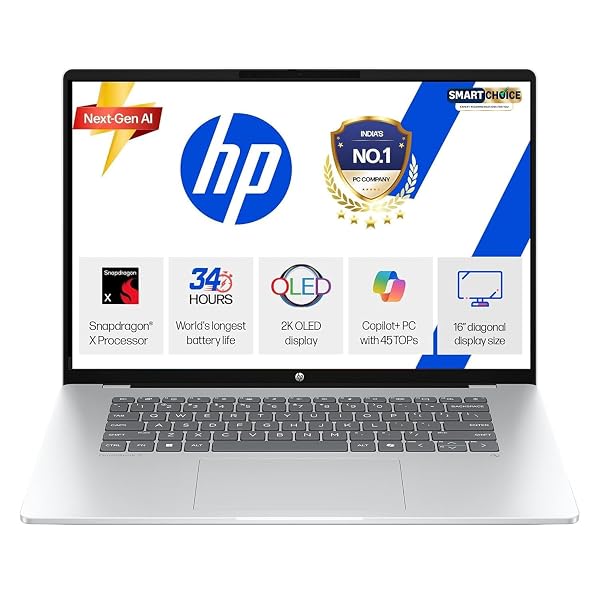
If you want a large screen for spreadsheets but hate charging, the HP OmniBook 5 OLED with Snapdragon X, 16GB, 1TB and Office Home 2024 solves both. Its 16-inch OLED screen shows more rows and columns than any other laptop here, and HP sells it as a multi-day battery laptop.
| Spec | HP OmniBook 5 OLED (fb0001QU) |
|---|---|
| Processor | Qualcomm Snapdragon X X1-26-100, 8 cores, up to 2.97 GHz |
| Memory | 16GB LPDDR5x |
| Storage | 1TB SSD |
| Screen | 16-inch OLED, 1920 × 1200, 300 nits, 95% DCI-P3, low blue light |
| Battery | 59Wh, fast charge to about 50% in 30 minutes |
| Weight | 1.59 kg |
| Ports | USB-A (10Gbps), 2 USB-C (10Gbps) with charging and DisplayPort, audio jack |
| Connectivity | Wi-Fi 6E |
| Keyboard | Full-size, backlit |
| Software | Windows 11 Home, Office Home 2024, 1 year Microsoft 365 Basic |
| Warranty | 1 year manufacturer warranty |
| Amazon rating (9 Oct 2026) | 4.1 stars, about 160 ratings |
What you will like. A 16-inch OLED screen at 1.59 kg is rare. You get 1TB of storage, a backlit full-size keyboard, Wi-Fi 6E and fast charging. It is the best laptop here for working on long spreadsheets without an external monitor.
What to know before you buy. It uses the same Snapdragon chip as pick 5, so check your elective software first. The listing does not mention an HDMI port, so plan on a USB-C to HDMI adapter for classroom projectors.
Who should buy it. Students who want the biggest screen and long battery in one laptop, and who use mainstream apps.
7. The MacBook option, if you already use an iPhone
The Apple MacBook Neo with A18 Pro chip and 256GB is the highest-rated laptop on this list, at 4.7 stars from more than 350 ratings. Apple claims up to 16 hours of video playback, it weighs 1.23 kg, and its aluminium body survives years of hostel life. If you already use an iPhone, AirDrop and iPhone Mirroring make moving whiteboard photos and notes painless.

| Spec | Apple MacBook Neo (2026) |
|---|---|
| Processor | Apple A18 Pro, 6-core CPU (2 performance, 4 efficiency), 5-core GPU |
| Memory | 8GB unified memory (cannot be upgraded) |
| Storage | 256GB SSD (512GB version also sold) |
| Screen | 13-inch Liquid Retina, 2408 × 1506, 500 nits |
| Battery | 36.5Wh; up to 16 hours video streaming, up to 11 hours web (Apple) |
| Weight | 1.23 kg |
| Ports | 1 USB-C (USB 3), 1 USB-C (USB 2), headphone jack; no HDMI |
| Camera | 1080p FaceTime HD |
| Keyboard | Magic Keyboard; Touch ID only on the higher model |
| Software | macOS with Pages, Numbers and Keynote; no Microsoft Office |
| Warranty | 1 year Apple limited warranty |
| Amazon rating (9 Oct 2026) | 4.7 stars, about 350 ratings |
What you will like. The battery life, build quality and screen are excellent for the price, and the laptop stays silent because it has no fan. It is the best-rated laptop on this list by buyers.
What to know before you buy. It has 8GB of memory that you cannot upgrade, the base model has no Touch ID, and it has only two USB-C ports with no HDMI. More important for an MBA: Microsoft says Power Pivot is not available in Excel for Mac, and Power BI Desktop runs only on Windows. Office is not included, though many colleges give students a free Microsoft 365 login.
Who should buy it. Students who already use an iPhone, whose college does not teach Power BI or Power Pivot in core courses, and who value battery life over upgrade options.
8. The pick for heavy finance and Excel work
If you plan to major in finance and expect to build large financial models, the Dell 15 with Intel Core i7-1355U and 16GB gives you a Core i7, a smooth 120Hz screen and a number pad with a calculator hotkey. It holds 4.5 stars from over 100 ratings, one of the best scores on this list, and the listing includes one year of onsite service.

| Spec | Dell 15 (DC15250, Core i7) |
|---|---|
| Processor | Intel Core i7-1355U, 10 cores, 12 threads |
| Memory | 16GB DDR4 |
| Storage | 512GB SSD |
| Screen | 15.6-inch Full HD, 120Hz, anti-glare, ComfortView low blue light |
| Battery | Up to 6 hours (listing claim), Express Charge |
| Weight | 1.94 kg in the listing; confirm with the seller |
| Keyboard | Backlit, number pad, calculator hotkey, lifted hinge for typing angle |
| Ports | Includes a memory card slot |
| Software | Windows 11 Home; Office not mentioned |
| Warranty | 1 year onsite service |
| Amazon rating (9 Oct 2026) | 4.5 stars, about 110 ratings |
What you will like. The Core i7 and 16GB handle big financial models, and the number pad with a calculator key is made for finance coursework. The 120Hz screen and high rating add confidence.
What to know before you buy. The listing does not mention Office, so check your college's Microsoft 365 offer. The listed weight of 1.94 kg and 6-hour battery are the weakest on this list. Confirm both with the seller, since Amazon's figure may include packaging.
Who should buy it. Finance students who work at a desk and want the most processing power with a number pad.
9. The best value with 16GB and Office
If you want 16GB of memory but would rather keep money aside, the HP 15 with AMD Ryzen 5 7520U, 16GB and Office Home 2024 is the one to pick. It has a backlit keyboard with a number pad, an anti-glare screen and a 1080p webcam.

| Spec | HP 15 (fc0806AU) |
|---|---|
| Processor | AMD Ryzen 5 7520U, 4 cores, 8 threads, up to 4.3 GHz |
| Memory | 16GB, onboard |
| Storage | 512GB SSD |
| Screen | 15.6-inch Full HD, anti-glare, 250 nits, 45% NTSC |
| Battery | 41Wh |
| Weight | 1.59 kg |
| Ports | 2 USB-A, USB-C (data only), HDMI 1.4b, audio jack |
| Webcam | 1080p with temporal noise reduction |
| Keyboard | Full-size, backlit, number pad |
| Software | Windows 11 Home, Office Home 2024, 1 year Microsoft 365 Basic |
| Warranty | 1 year manufacturer warranty |
| Amazon rating (9 Oct 2026) | 4.5 stars, few ratings so far |
What you will like. You get the full set of daily-use features: 16GB, Office for life, a backlit number pad and a sharp webcam, at one of the lowest prices on this list.
What to know before you buy. The Ryzen 5 7520U is an entry-level chip, so it will not feel as quick as picks 1 to 3. The memory is onboard and cannot be upgraded, and the USB-C port does not charge the laptop.
Who should buy it. Students who want 16GB and Office at the lowest sensible price.
10. The cheapest laptop with 16GB of memory
The Acer Aspire Lite with AMD Ryzen 5 5625U, 16GB and Office 2024 was the lowest-priced laptop with 16GB of memory and Office that we would recommend on the day we checked. It also lists memory as upgradable to 32GB.

| Spec | Acer Aspire Lite (AL15-41, Ryzen 5) |
|---|---|
| Processor | AMD Ryzen 5 5625U, 6 cores, up to 4.3 GHz |
| Memory | 16GB DDR4, upgradable to 32GB |
| Storage | 512GB SSD, upgradable to 1TB |
| Screen | 15.6-inch Full HD TN |
| Weight | 1.59 kg |
| Ports | USB 3.2 Type-A, 2 USB 2.0 Type-A, USB-C |
| Webcam | 720p |
| Software | Windows 11 Home, Office 2024 |
| Warranty | 1 year manufacturer warranty |
| Amazon rating (9 Oct 2026) | 4.2 stars, about 80 ratings |
What you will like. It gives you 16GB, upgradable to 32GB, a six-core processor and Office, at the lowest price on this list.
What to know before you buy. The TN screen looks washed out from an angle, and the 720p webcam is basic. Two of the USB ports are the slower USB 2.0 kind.
Who should buy it. Students who want 16GB above everything else and do not mind a basic screen.
Which laptop should you buy for your MBA specialisation?
| Specialisation | What you will do most | Best pick under ₹1 lakh |
|---|---|---|
| Finance | Large financial models, valuation, constant number entry | Dell 15 Core i5 (pick 1) or Dell 15 Core i7 (pick 8) |
| Business analytics | Big datasets, Power BI, Python or R | Lenovo IdeaPad Slim 3 (pick 2) or ThinkPad E14 (pick 3); avoid Mac and Snapdragon unless your software works on them |
| Marketing | Decks, campaign visuals, client calls | ASUS Vivobook S14 OLED (pick 4) for the screen |
| Consulting track | Reports, slides, travel to client sites | ThinkPad E14 (pick 3) or ASUS Zenbook A14 (pick 5) |
| HR and general management | Documents, decks, calls | Any pick; the MacBook Neo works well here |
Should an MBA student buy a MacBook or a Windows laptop?
Buy Windows if you are unsure. Most MBA courses run on Excel, and the Windows version has features the Mac version lacks. Microsoft says Power Pivot is not available in Excel for Mac, and Power BI Desktop has no Mac version. Some business schools abroad, such as Penn State's Smeal College of Business, tell incoming graduate management students to use Windows for the same reason, because some decision-analysis software needs the Windows version of Excel.
Buy the MacBook Neo if you already live in the Apple world, your college does not use Power BI or Power Pivot in core courses, and you value battery life and build over upgrade options. You can still view Power BI reports in a browser on a Mac.
| MacBook Neo | Windows laptop under ₹1 lakh | |
|---|---|---|
| Excel Power Pivot | Not available | Available |
| Power BI Desktop | Not available | Available |
| Memory | 8GB, fixed | 16GB on every Windows pick here |
| Battery | Up to 16 hours video (Apple claim) | Varies; longest on Snapdragon picks |
| HDMI for projectors | Needs an adapter | Built in on most picks |
| Office | Not included | Included on most picks |
| Buyer rating on Amazon | 4.7 stars, highest here | 3.8 to 4.5 stars |
Are Snapdragon laptops good for MBA students?
Yes, if your software runs on them. Snapdragon X laptops like the Zenbook A14 and OmniBook 5 run Windows on ARM. Office, Teams, Zoom and browsers run natively, and the chips sip power, so battery life runs long. The risk is older or specialist Windows software. 91mobiles notes that some professional apps still lack native ARM versions and advises students whose coursework depends on such software to buy a regular Intel or AMD laptop. Ask your seniors which software electives use, then check it before you buy.
Which laptops did we leave out, and why?
- MacBook Air (M5). Every MacBook Air listed on Amazon.in when we checked cost well above ₹1.6 lakh, out of this budget.
- Gaming laptops such as the MSI Thin 15 and Lenovo LOQ. They fit the budget, but they weigh 2 kg or more, run hot and drain the battery fast. You gain nothing for Excel.
- Core i7 H-series IdeaPads near ₹1 lakh. They cost close to the budget limit for a small speed gain over pick 2, with the same kind of screen.
- Laptops with 8GB of memory at ₹60,000 to ₹80,000. At this price, 16GB should be standard. Paying extra for an 8GB Windows laptop makes little sense.
Which laptop should you buy if you are still preparing for CAT?
Any laptop here runs online mocks with ease, since mocks run in a browser. Buy the laptop you want for the MBA itself, then use it for prep. Take mocks with the charger plugged in and notifications off, because a pop-up in the middle of a DILR set costs you time you cannot get back.
For the weeks before the exam, the CAT 60-day preparation plan and the guide on how many mocks to take will move your score more than any laptop. If you work full-time, read CAT preparation with a full-time job.
How do you avoid a bad deal during a sale?
- Match the model code. The same laptop name comes in many versions. Check the processor, memory, storage and model code in the title before you pay.
- Check the Office line. "Office 2024" or "Office Home 2024" means you own Word, Excel and PowerPoint for life. "M365 Basic" alone is only cloud storage.
- Check the screen type. At this price, prefer IPS or OLED. A TN screen should come with a clear advantage elsewhere.
- Prefer brand warranty and onsite service. Register the laptop on the brand's website the day it arrives, and consider extending the warranty on an expensive laptop.
- Sort reviews by newest. Recent reviews tell you how the current batch performs.
Frequently asked questions
Is 16GB RAM necessary for MBA students?
You can get through an MBA on 8GB, but 16GB keeps the laptop smooth when you run a large Excel model, PowerPoint, a video call and many browser tabs together. If you plan to take finance or analytics electives, buy 16GB.
Which is the best laptop for MBA finance students under ₹1 lakh?
The Dell 15 with a Core i5-1334U, 16GB and a backlit number pad suits most finance students. If you will build large models with thousands of rows, the Dell 15 with a Core i7-1355U adds more processing power, and the Lenovo IdeaPad Slim 3 with a Core i5-12450H is the fastest for the money.
Is the MacBook Neo good for MBA students?
It works for most MBA coursework and has the best rating and build on this list. It has 8GB memory that you cannot upgrade, no HDMI port, and Excel for Mac lacks Power Pivot. Power BI Desktop does not run on a Mac. Choose it only if your college does not need those tools.
Are OLED laptops good for long study hours?
Yes. OLED screens show sharp text and rich colours, which makes long reading sessions more pleasant. Most are glossy, so sit away from bright lights or tilt the screen. The ASUS Vivobook S14 OLED listing mentions an anti-glare finish, though it also calls the screen glossy, so check it in person.
Are Snapdragon laptops good for MBA students?
Yes for Office, browsing and video calls, where they last the longest on battery. Some older Windows software does not run natively on Snapdragon, so check your college's elective software list first.
Should I buy a gaming laptop for an MBA under ₹1 lakh?
No. Gaming laptops in this range weigh 2 kg or more and drain the battery fast. An MBA student gains more from a light laptop with 16GB memory and Office than from a graphics card.
Is it worth buying a ₹1 lakh laptop over a ₹50,000 one for an MBA?
It is worth it if you will take finance or analytics electives, carry the laptop all day, or want it to last into your first job. If you will mostly use Word, PowerPoint and Excel for coursework, a good ₹50,000 laptop does the job.
Can I upgrade the memory on these laptops later?
Only on some. The ThinkPad E14 goes up to 64GB and the Acer Aspire Lite up to 32GB. The Snapdragon laptops, the MacBook Neo, the IdeaPad Slim 3 and the HP 15 use soldered or onboard memory that you cannot change.
Sources
- Amazon.in listings for all 10 laptops named above, checked on 9 October 2026 (ratings, weights, specs and what is included).
- 91mobiles, Best laptops under Rs 50,000 in India (2026): tested picks, for testing of the ThinkPad E14, the Ryzen 5 7535HS in the ThinkBook 16, processor classes and Windows on ARM limits.
- Apple, MacBook Neo technical specifications, for chip, memory, ports, weight and battery claims.
- Microsoft Support, Turn on Power Pivot, on Power Pivot not being available in Excel for Mac.
- Penn State Smeal College of Business, PGP laptop specifications, on Windows for management coursework.
If you are still deciding how to spend the weeks before CAT, the CAT 60-day playbook lays out what to study each day.